Tutorials
Each Maliah feature in three to five steps, with the real screen. Videos are on the way; until then, the screenshots show exactly what you will see.
Today
Today: each child’s day at a glance
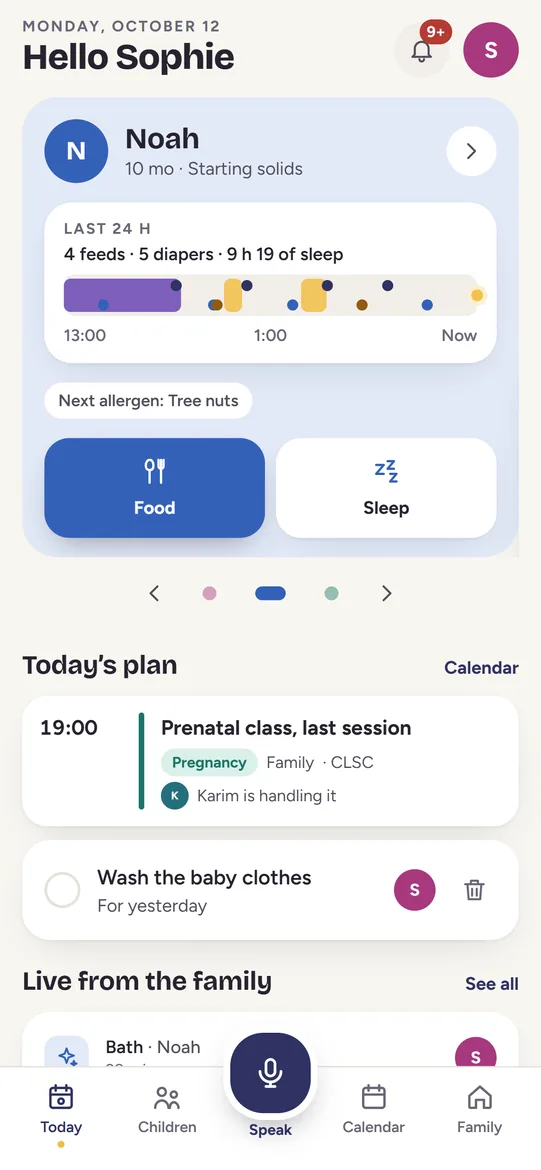
The home screen shows, for each child, what matters right now: the last 24 hours at a glance, a sick child, the ongoing pregnancy, today’s plan and what the family just logged.
- Open the Today tab, bottom left. Each child has their own card, at their own stage.
- Read the top of the card: the last feed and how long ago, or the last 24 hours at a glance (feeds, diapers, sleep).
- Tap a quick button on the child’s card (Feed, Diaper, Food or Sleep, depending on their stage) to log it in two taps. “Undo” stays available for a few seconds.
- A child is sick? The banner at the top shows the latest temperature; tap it to open their health record.
- Scroll down for the ongoing pregnancy, today’s plan and what the rest of the family just logged.
Video coming soon
Speak
Speak: say it, it’s logged
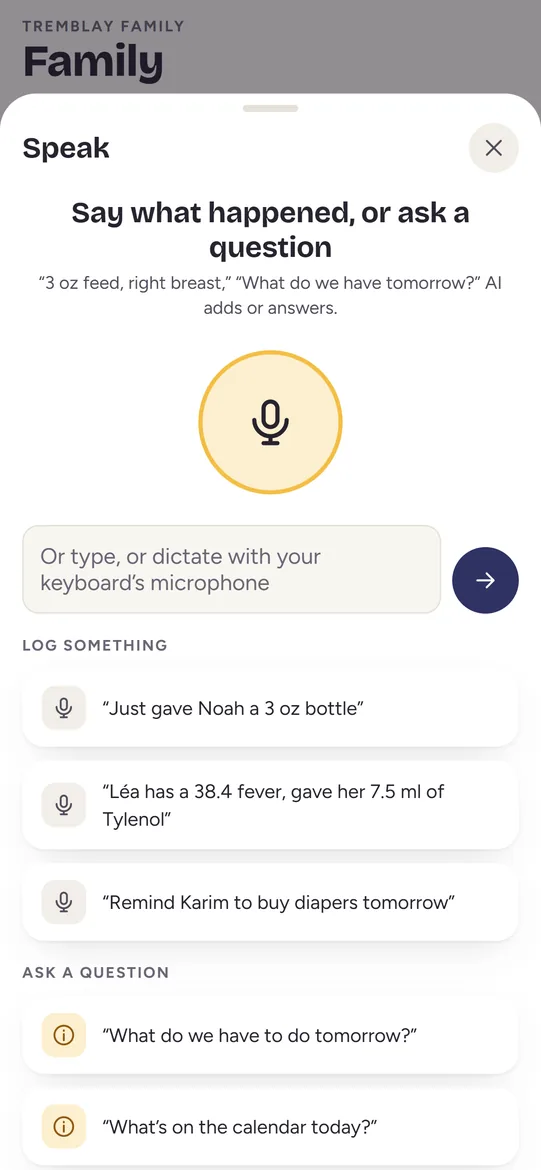
The big microphone button in the middle opens the assistant. Say what happened or ask a question, in English or in French.
- Tap the microphone in the middle of the bottom bar.
- Say what happened, the way you would tell someone: “Noah had 4 ounces on the right breast 20 minutes ago.”
- Prefer to type? Write in the field, or dictate with your keyboard’s microphone, then tap the arrow.
- Ask a question: “What do we have to do tomorrow?” The assistant answers from your family’s data.
- Every entry the assistant adds is marked as such and can be undone with one tap.
Video coming soon
Children
Children: each child at their own stage
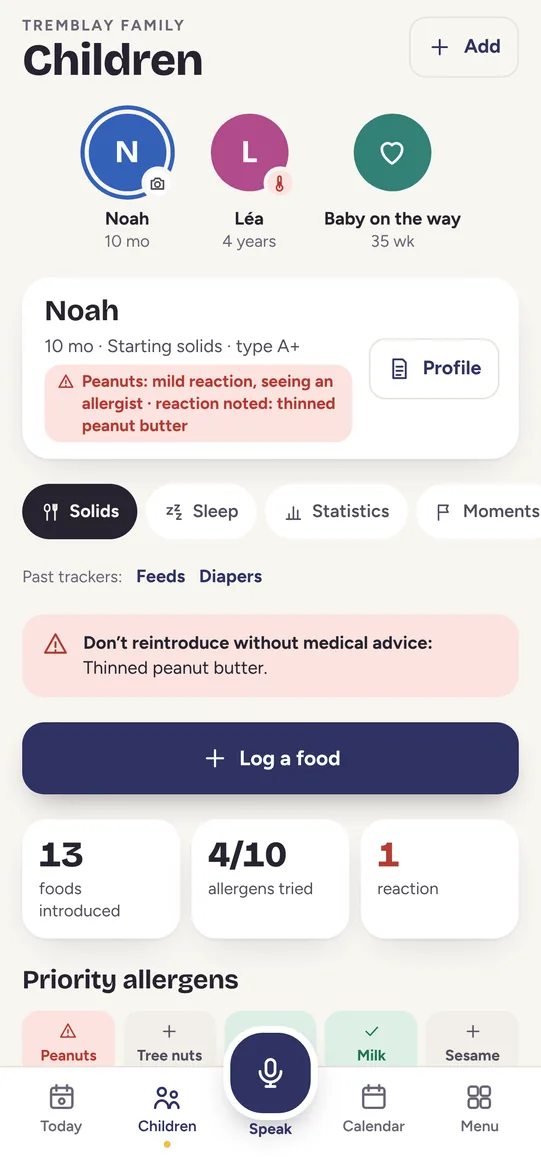
A newborn is feeds and diapers; at 10 months, foods and allergens; at 4, the calendar. The Children screen shows each child what matters at their age.
- Tap Children, then pick a child at the top of the screen.
- Switch between Routine and Health with the two buttons under their name.
- When starting solids, open Solids: foods tried, priority allergens and any reactions logged.
- Tap Profile for their basic information, such as known allergies, to show the sitter or the doctor.
- Tap + Add, at the top, to add a child or a pregnancy.
Video coming soon
Health
Health: fever, medicines given and the doctor summary
A fever is three days of small notes across two phones. Maliah keeps them in one place, with who did what and when. The app never calculates a dose and gives no medical advice.
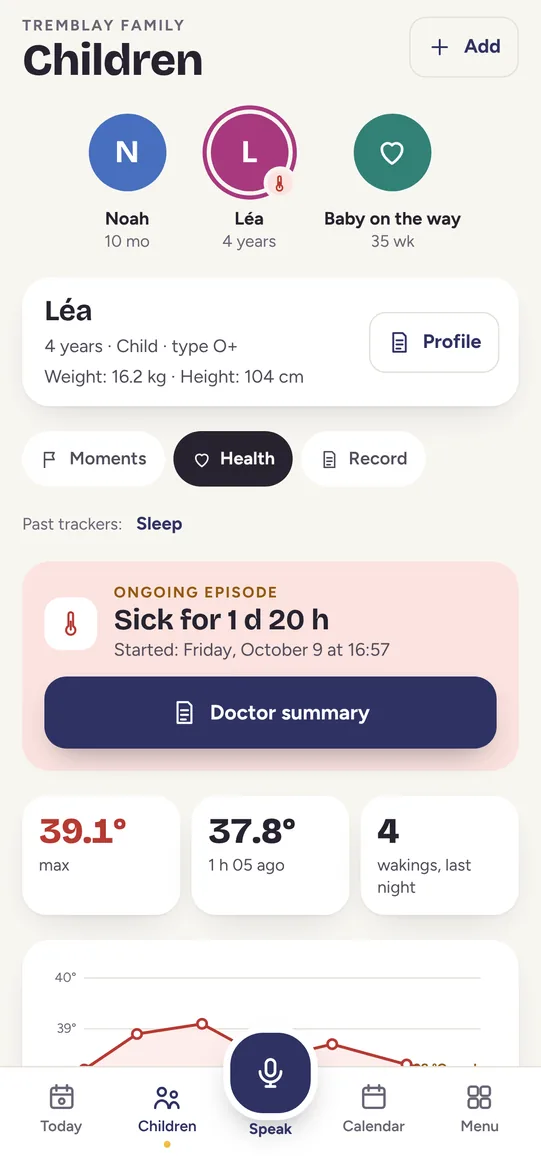
- In Children, pick the child, then tap Health.
- Log a temperature: it joins the curve, with the 38 °C mark, the time and who took it.
- Log each medicine given: what, how much, when and by whom. The whole family sees what has already been given.
- Tap Doctor summary: the episode, temperatures, night wakings and medicines, ready to show or copy.
- In Québec, call Info-Santé 811 when in doubt. In an emergency, call 911.
Video coming soon
Calendar
Calendar: one family calendar that spots conflicts
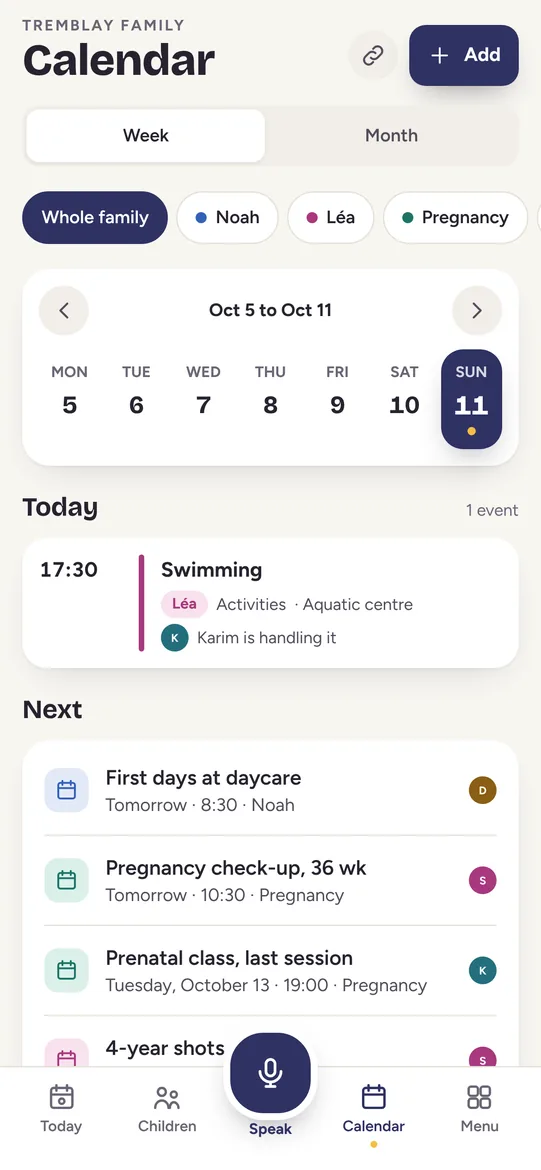
Appointments, daycare, prenatal class: everyone sees the same week, and Maliah warns you when two things fall at the same time for the same person.
- Tap Calendar, then filter by child or see the whole family.
- Add an event: a title, the time, the child it concerns and who is taking care of it.
- If there is a conflict, the app says so before saving, names what is already planned and suggests the next free time.
- Connect your own calendars (Google, your phone’s calendars, or an iCloud or Outlook link): Maliah reads them only to check for conflicts and never shows them to the rest of the family.
- Add a task and assign it: that person gets a notification.
Video coming soon
Family
Family: invite the grandparents and the sitter
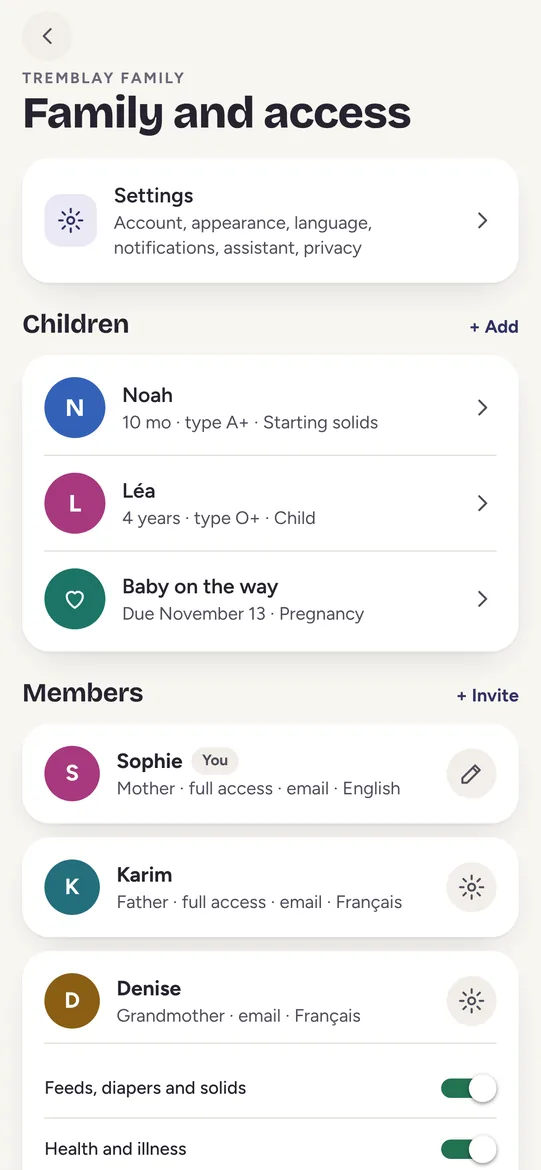
Everyone has their own account, in their own language, and sees exactly what the parents chose. Every entry keeps its author and time.
- Tap Family, then + Invite.
- Enter the person’s name, their relationship to the child (grandmother, sitter…), their language and their access level.
- Create the invitation and send the link: it stays valid for 7 days.
- Change access at any time with the gear button: feeds, diapers and foods; health and illness; calendar and tasks.
- One person can belong to several families and switch between them with one tap.
Video coming soon
Pregnancy
Pregnancy: week by week, until the big day
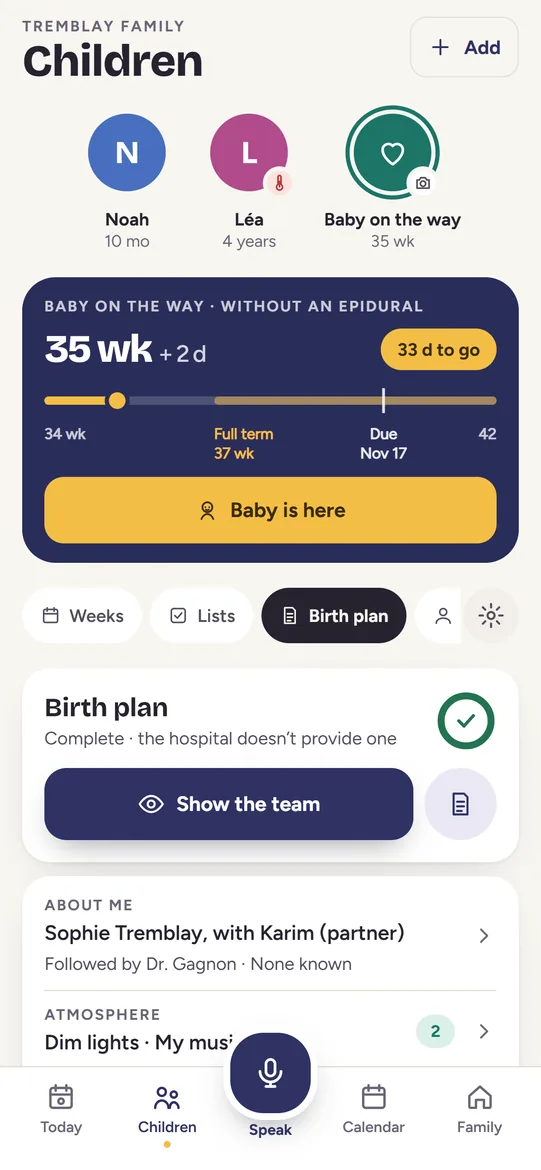
A pregnancy is a child on the way, with a record of its own: weeks, due date, hospital bag, birth plan and the contractions timer.
- In Children, tap + Add, then add a pregnancy with the due date.
- Follow the weeks and days, and the reminders for each week, at your own pace.
- Fill in the birth plan at home, then tap Show the team when you arrive.
- On the big day, tap Start a contraction when it rises and stop when it eases: duration and interval are shown.
- Your partner sees their own section: what you expect from them and how to help on the big day.
Video coming soon