Tutorials · Maliah Care
Maliah Care, step by step
Eight tasks, each in a few steps, with the app’s real screen. Videos are coming soon.
Add your loved one
Create your loved one’s profile
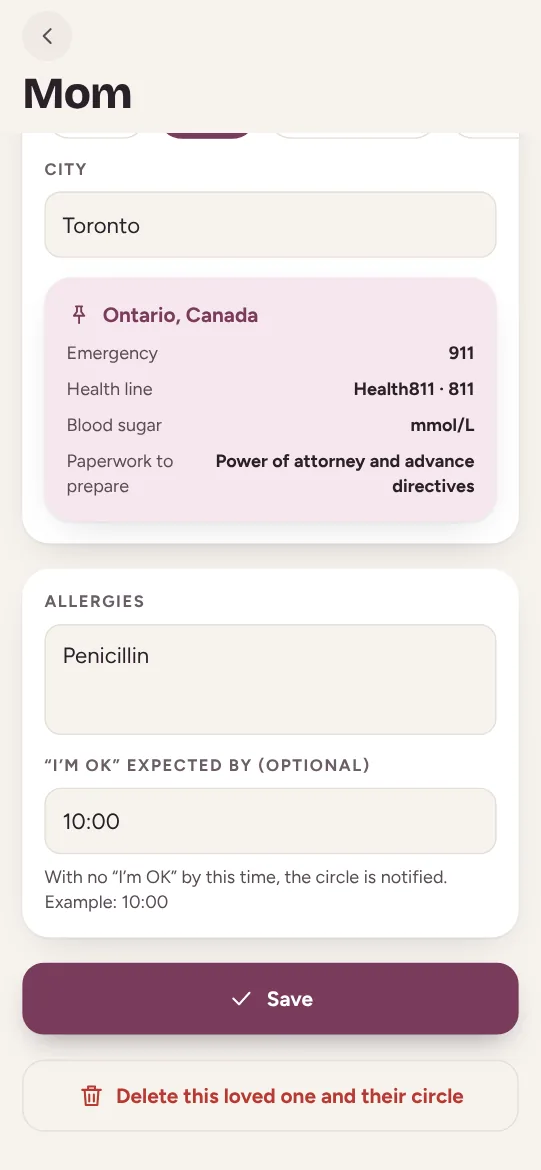
Their name, their language and where they live: the right numbers follow on their own.
Open care.maliah.ca or the Maliah Care app and sign in with your Maliah account.
Tap “Add a loved one”: their first name and the language they’ll read the app in.
Say where they live: the country, the province or state, then the city. The emergency number, health line, blood sugar unit and papers to prepare appear.
Add their allergies and, if you like, the time “I’m OK” is expected by, then tap “Save”.
Invite the circle
Invite the family and the caregiver
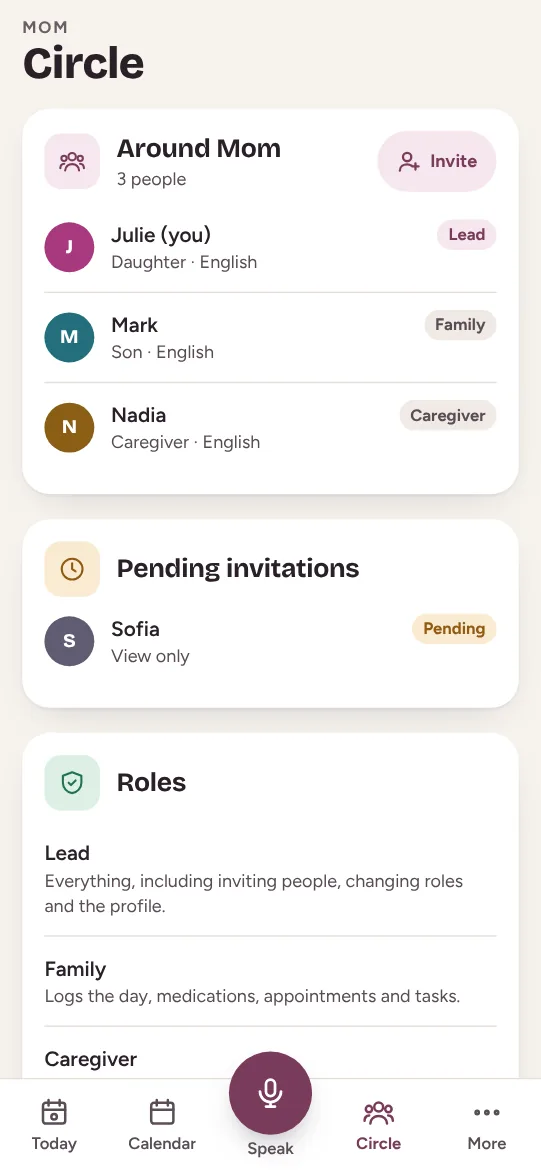
One link per person, one role each. The link lasts 7 days.
Open the “Circle” tab and tap “Invite”.
Pick the role: Family, View only, Caregiver or Loved one (for your parent themselves).
Share the link by text, email or WhatsApp. Until it’s accepted, it stays under “Pending invitations”.
They open the link and join with their own account, in their own language. The lead can change their role at any time.
Big-button mode
Set up big-button mode
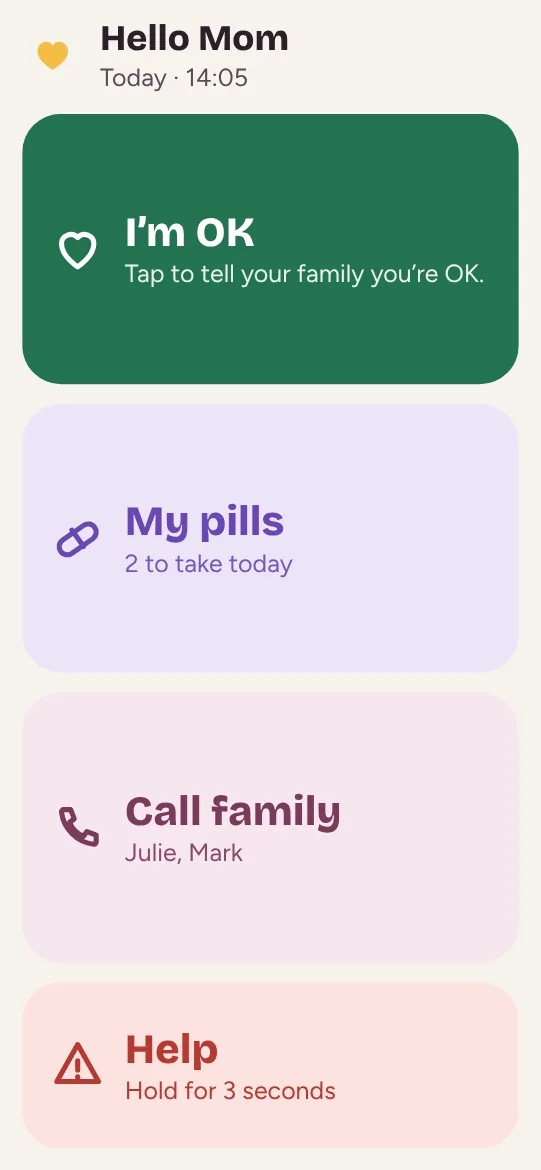
On your parent’s tablet or phone: four buttons, nothing else.
To try it, open “More”, then “Open loved-one mode”.
For real, invite your parent with the Loved one role and sign in to their account on their device: they’ll only see the big buttons.
Show them the four buttons: “I’m OK”, “My pills”, “Call family” and “Help”, which is held for 3 seconds.
Do a test “I’m OK” together, then a call: the family sees it right away.
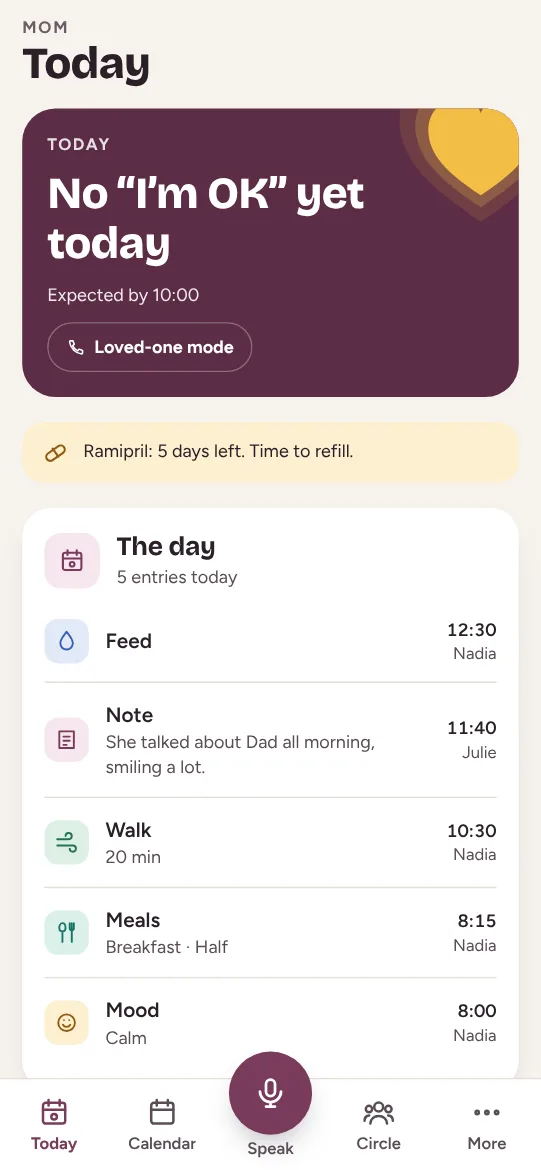
The daily “I’m OK”
Get the “I’m OK” every morning
Your parent taps “I’m OK” and the whole family sees it. If it doesn’t come, the circle is notified.
In the loved one’s profile, set the time “I’m OK” is expected by, say 10:00, and save.
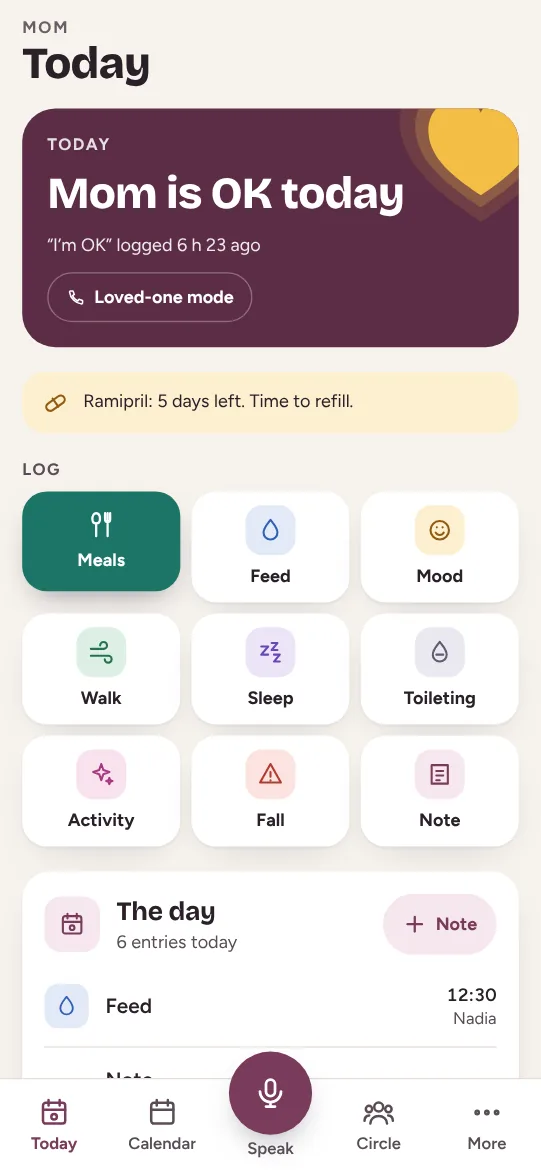
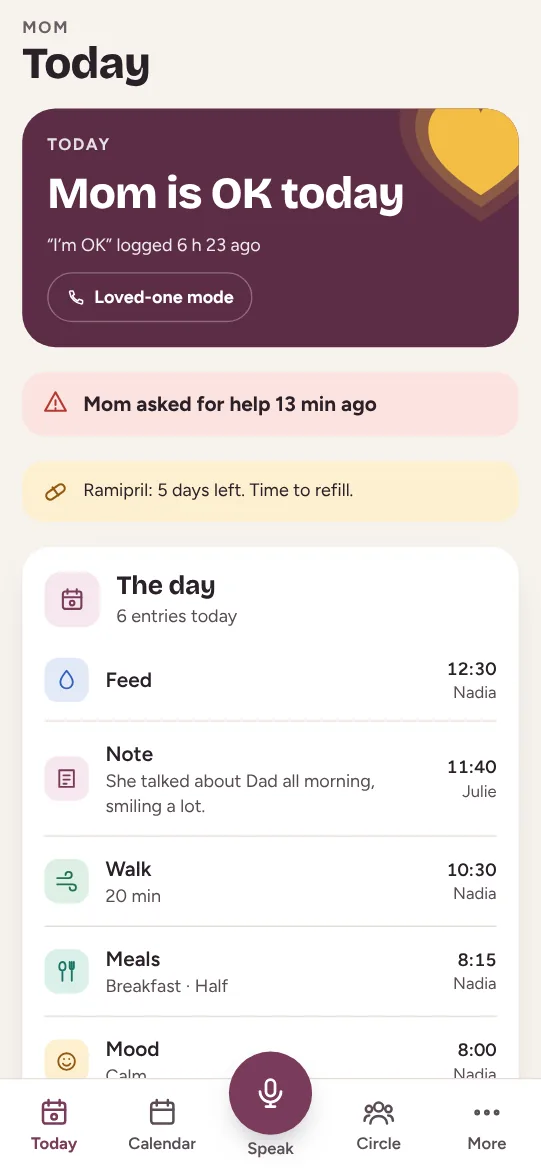
Each day your parent taps “I’m OK” at the top of their screen. Today’s card turns into “Mom is OK today”, with the time.
If nothing has come by the time you chose, the card shows it and members who turned on alerts are notified.
Talked on the phone? Tap the Log “I’m OK” button to log it for them.
Log the day
Log the day in the care log
The caregiver logs lunch, your brother the walk, you a note: the whole circle sees the same day.
In “Today”, tap what happened: meal, drink, mood, walk, sleep, toilet, activity, fall or note.
Add a detail if you like: how much, how long, what the circle should know.
The entry shows up in “The day”, with its author and time. A mistake can be undone from the message that appears.
Faster: tap “Speak” and say what happened, and the note goes to the log.
Medications
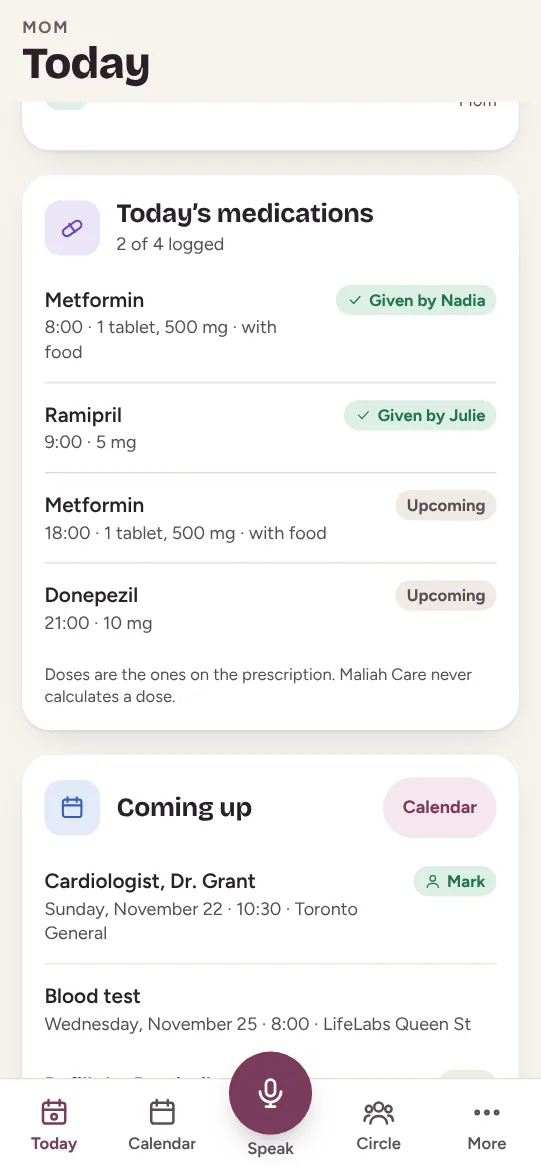
Track medications
Who gave what, and a reminder before running out. The dose is the prescription’s, never calculated.
In “Medications”, tap “Add”: the name and the dose as written on the prescription, then the times.
If you like, enter how many are left: Maliah Care reminds you when only a few days remain.
At each time, under “Today’s doses”, tap “Taken” or “Skipped”. Everyone sees who gave it.
In loved-one mode, your parent sees today’s pills and taps “I took it”.
Agenda and tasks
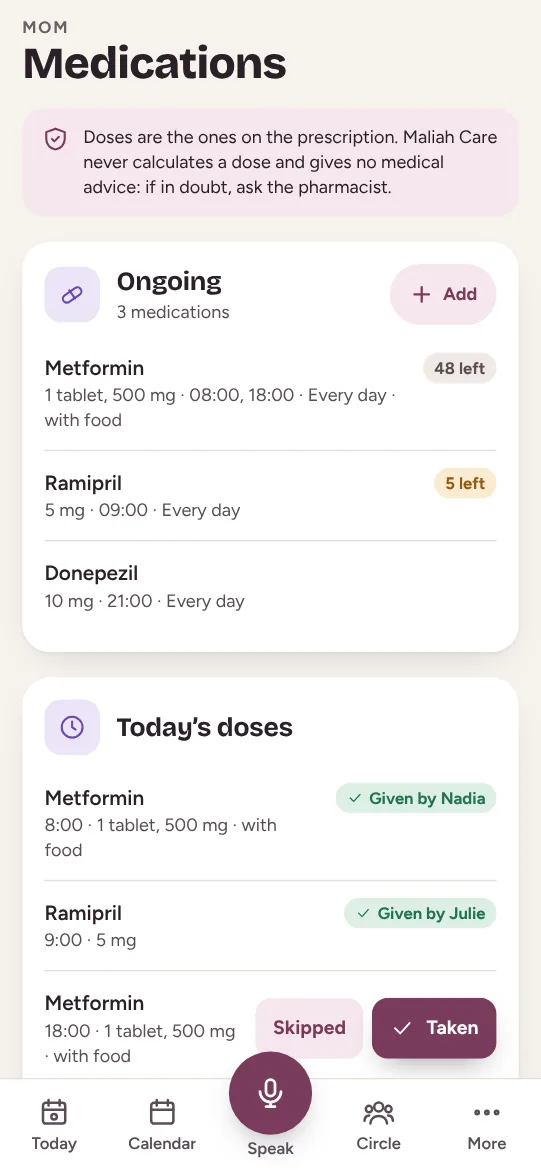
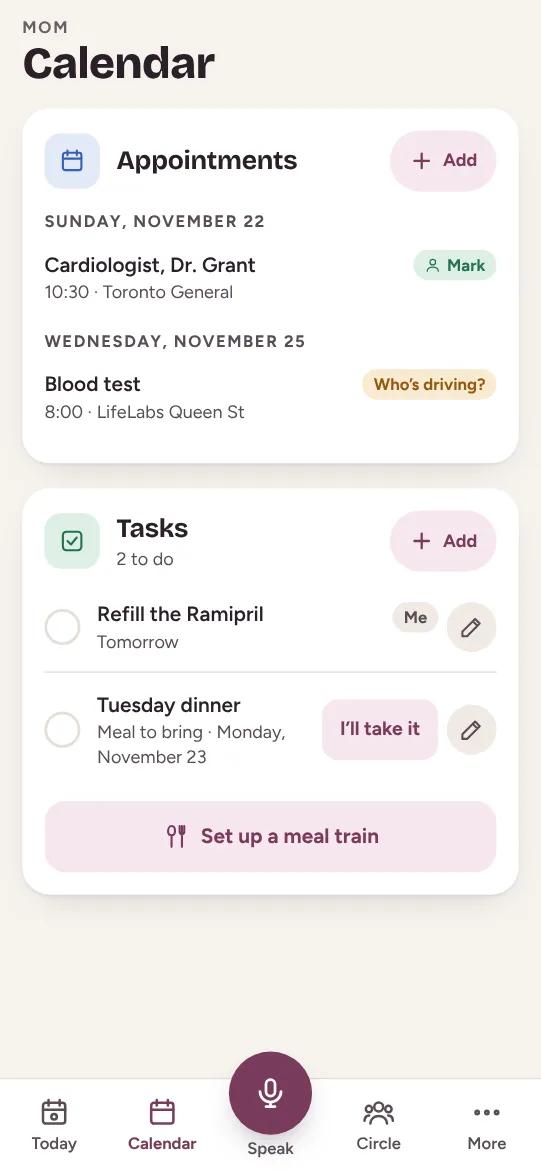
Share appointments and tasks
The appointment, who drives, and tasks split in one tap.
In “Calendar”, tap “Add” next to “Appointments”: the title, date, time and place.
No one driving yet? “Who’s driving?” shows: tap “I’ll drive” and your name appears.
Add a task (refill a prescription, stop by the pharmacy); someone taps “I’ll take it”.
Tap “Set up a meal train”: a dinner to bring every week, and everyone takes a day.
Alerts
Get notified when it matters
A missed “I’m OK” or help requested: you know right away.
Open “More” and turn on “Notify me of alerts”. Everyone decides for themselves.
Add your number in “More”: your parent can call you in one tap.
When your parent holds “Help” for 3 seconds, a red banner shows for the whole circle, with the time.
Call them. In an emergency, dial the emergency number where they live, shown in their profile.
Another question?
Maliah Care gives no medical advice and never calculates a dose.
Maliah Care
The whole family, around your loved one
Free to start, on iPhone, Android and the web. The same account as Maliah.

