Chrome extension · Free
Your pregnancy, on every new tab
The Maliah extension turns Chrome’s new tab into a calm pregnancy tracker: how far along you are, week by week, the countdown to your due date and what is happening right now. After the birth, it follows your baby’s age, day by day.
The extension installs on a computer, in Chrome. On your phone, send yourself this page to add it later.
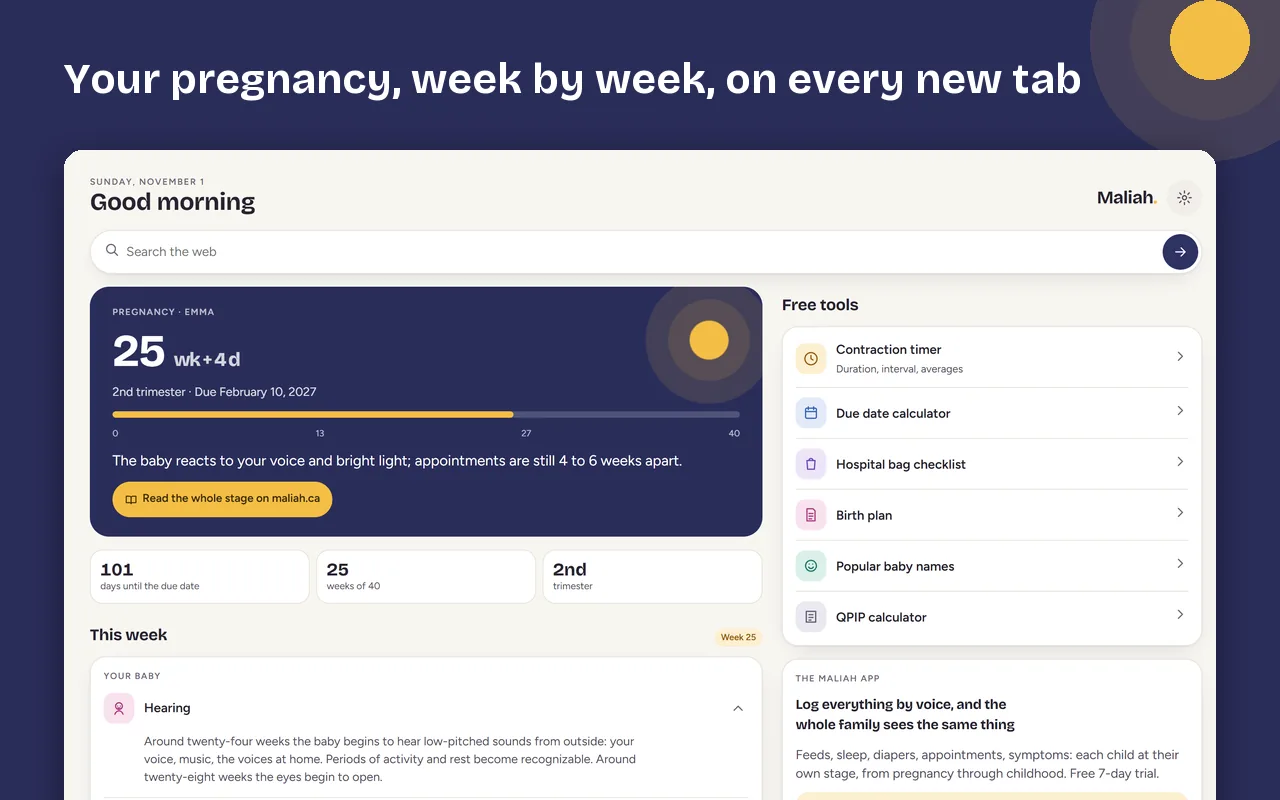
What you see when you open a tab
- How far along you areWeeks and days of pregnancy, your trimester, your due date and a bar from 0 to 40 weeks.
- This weekThe baby’s development, what you may feel and the steps to plan, with a link to the full page for that week.
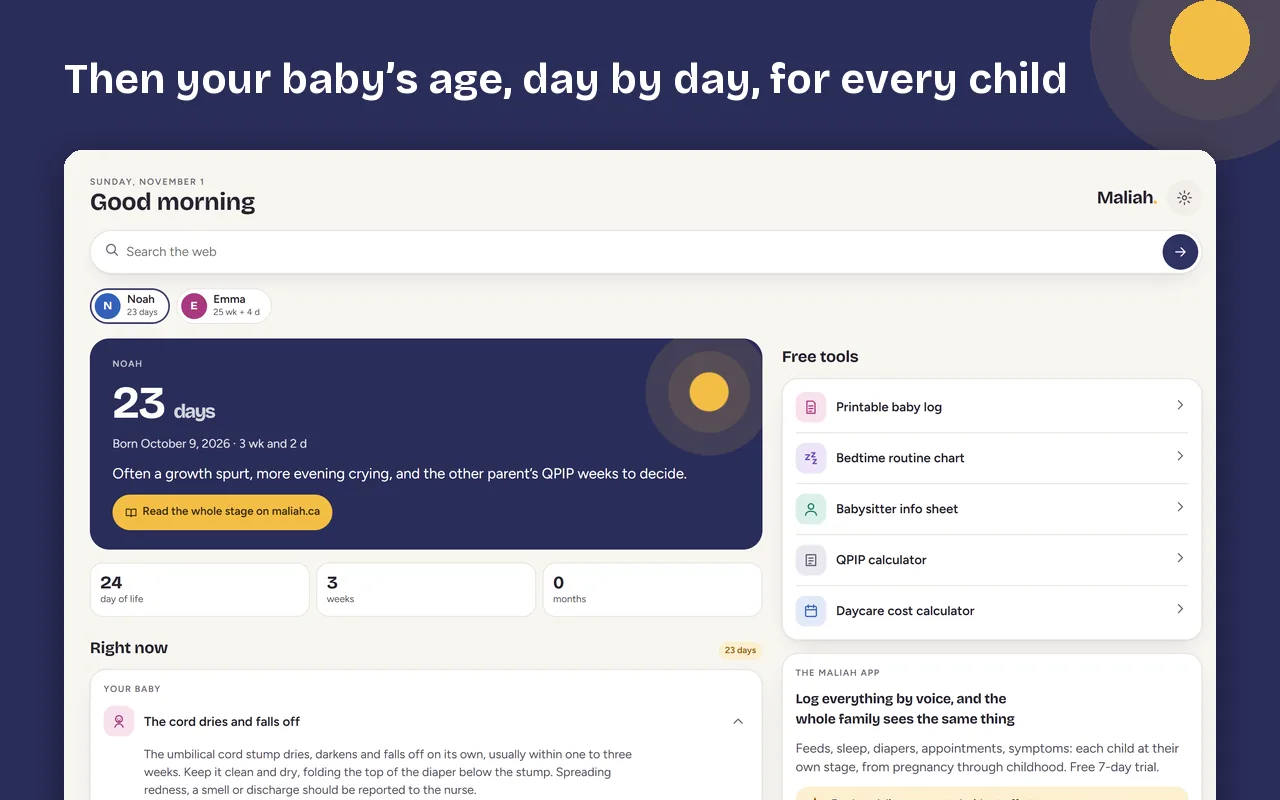
- After the birthYour baby’s age in days, weeks, then months, and what to expect at that stage.
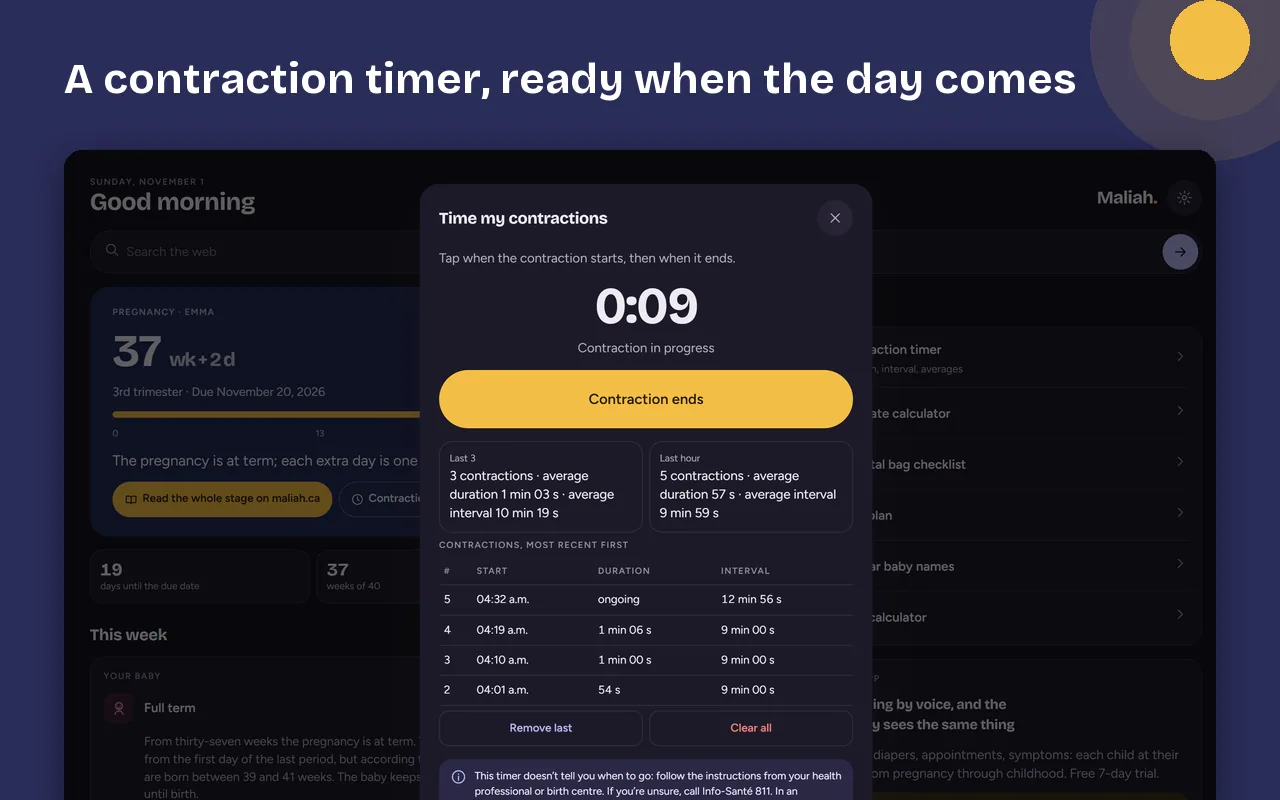
- A contraction timerOffered from 34 weeks: duration, interval, and the averages of the last three and of the last hour.
- Several childrenA pregnancy and an older child, twins: each at their own stage, each with their own colour.
- Free toolsDue date calculator, hospital bag checklist, birth plan, baby names, depending on the stage.
Install it in three steps
- Add it to ChromeOn a computer, open the Chrome Web Store listing and choose “Add to Chrome”.
- Open a new tabChrome asks once whether to keep this new tab: choose to keep it.
- Enter a dateYour due date, or the first day of your last period (Maliah works out the date), or your baby’s date of birth. A first name, if you like.
Your data stays with you
Frequently asked questions
Is it free?
Yes. The extension is free, with no ads and no account.
Do I need the Maliah app to use it?
No. The extension works on its own. The Maliah app is where you log feeds, sleep, diapers and appointments and share them with your family.
Which languages does it support?
English, French and Spanish. It follows your browser’s language, and you can pick another one in the settings.
I don’t know my due date.
Enter the first day of your last period: Maliah works out the due date (280 days later). Your health professional can refine it.
Does it work outside Chrome?
It is published in the Chrome Web Store, for Chrome on a computer. It does not install on a phone.
How do I remove it?
In Chrome, open Extensions and remove “Maliah”. Your dates are erased with it; the settings also offer “Erase everything”.
Chrome and Chrome Web Store are trademarks of Google LLC. Maliah is not affiliated with Google. Updated November 6, 2026.