Pregnancy tracker · iPhone, Android and web
Your pregnancy, from week 1 to the big day
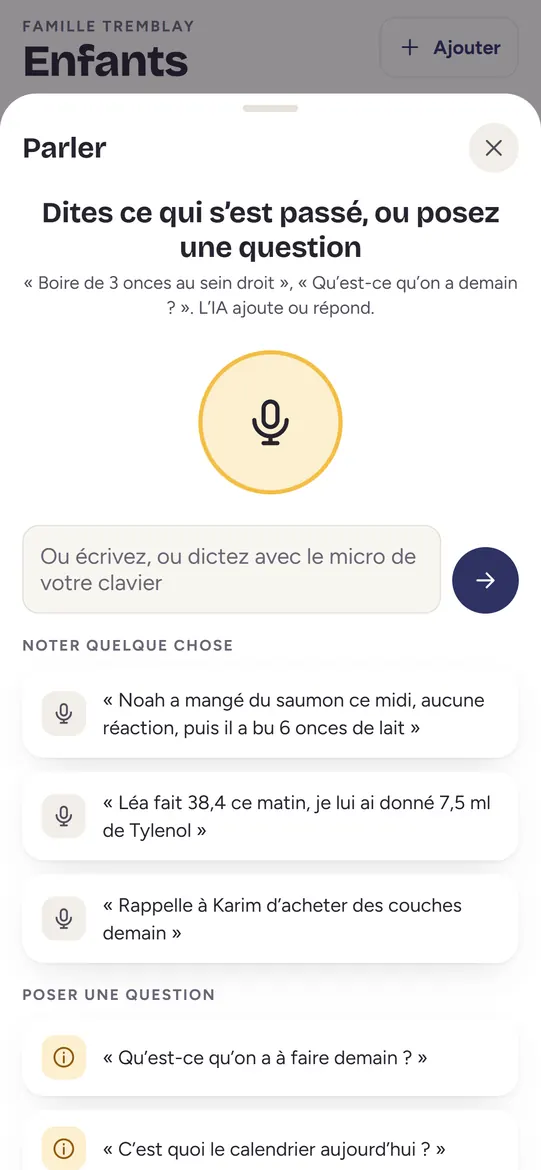
Maliah works out your due date, shows you your baby in 3D every week and keeps all your pregnancy tracking in the same place as your children’s. Your partner and loved ones follow along with their own account, with the access you give them.
Your baby, week by week
 Week 8A raspberryabout 1.6 cm
 Week 14A lemonabout 8.5 cm
 Week 20A bananaabout 16.4 cm
 Week 28An eggplantabout 25 cm
 Week 36A bunch of celeryabout 34 cm
The app’s illustrations, from week 4 to week 40. Sizes are landmarks: every baby grows at their own pace.



Your baby’s skin tone, your choice
From week 9, choose among four skin tones. Each person in the family keeps their own.
Free Maliah Plus Free: included in Maliah Essentials, forever. Maliah Plus: $7.99 a month or $79.99 a year, with 7 days free for every new family.
From week 1
Maliah starts the day you choose, even before your first appointment.
- Free
Your due date, worked out
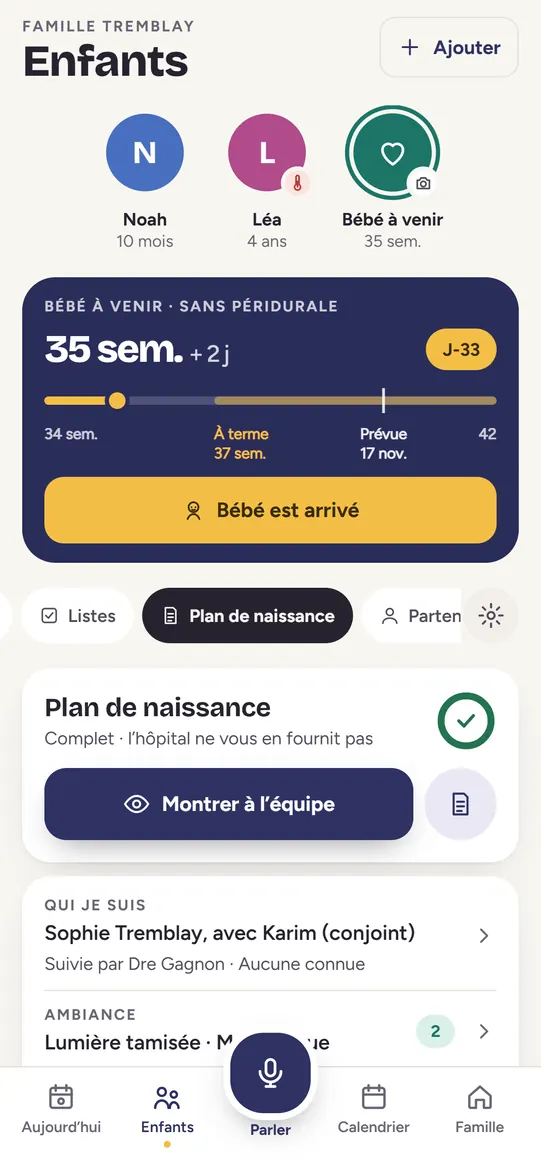
From your last period and your cycle length, the conception date, a 3- or 5-day IVF transfer, or an ultrasound. Or simply enter the date you already know.
- Free
Weeks 1 to 42
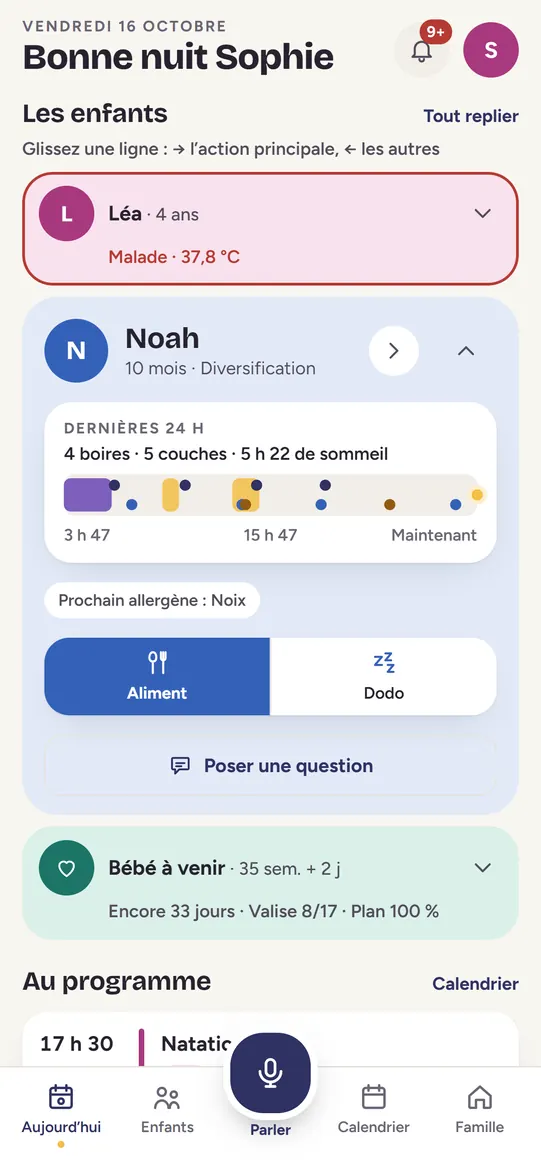
Weeks and days, the trimester and the countdown, on the Today card the whole family sees.
- Free
Every new week
A card on Today the day it begins, with your baby’s size. As a phone notification with Maliah Plus.
- Free
Search your pregnancy
A symptom, a food, a step to take, a sign of labour: type a word and Maliah finds the right week or the right page.

Your baby and your body, every week
What is happening for your baby and for you, in plain words, from public-health sources.
- Free
Your baby in 3D
An illustration from week 4 to week 40, in a choice of four skin tones, with your baby’s size compared to a fruit or vegetable.
- Free
What changes this week
Two tabs, “Baby” and “Your body”, written from the INSPQ guide Mieux vivre avec notre enfant and Québec.ca.
- Maliah Plus
Share the week
The week’s picture in story format, ready to send to the family.
- Maliah Plus
A word for the day
A gentle line for every day of your pregnancy.
Your tracking
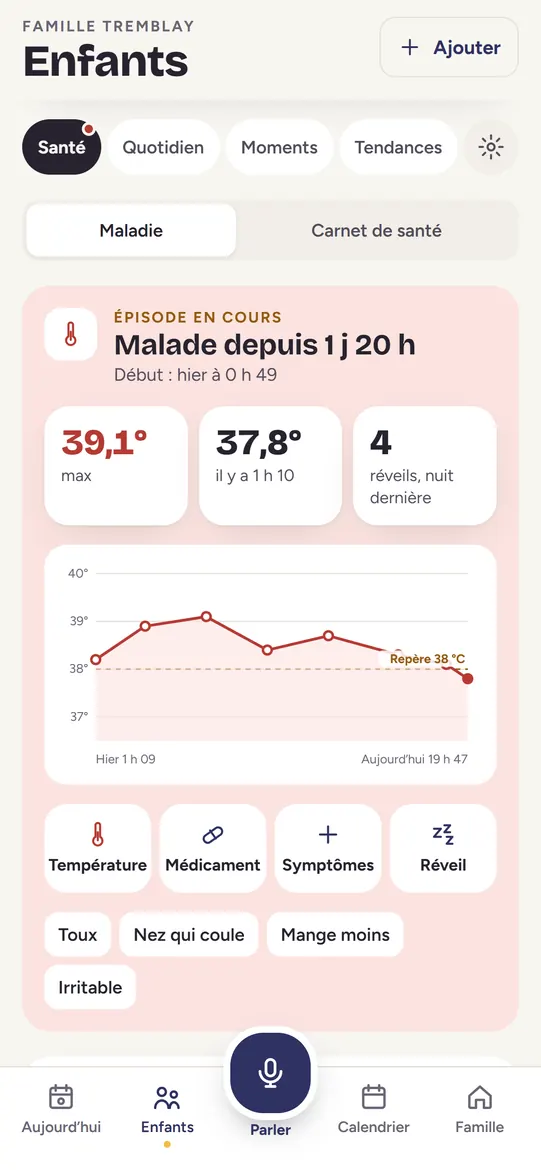
Your numbers and the official guideline, never “too much” or “not enough”.
- Maliah Plus
Baby’s movements
A kick-count session: one tap per movement, with the time and the duration.
- Maliah Plus
Your weight
Your weight week by week, with Health Canada’s range for your pre-pregnancy weight. Kept discreet, and you can hide it.
- Maliah Plus
Symptoms
Nausea, tiredness, heartburn or any you add yourself, logged with the date.
- Maliah Plus
Prenatal appointments
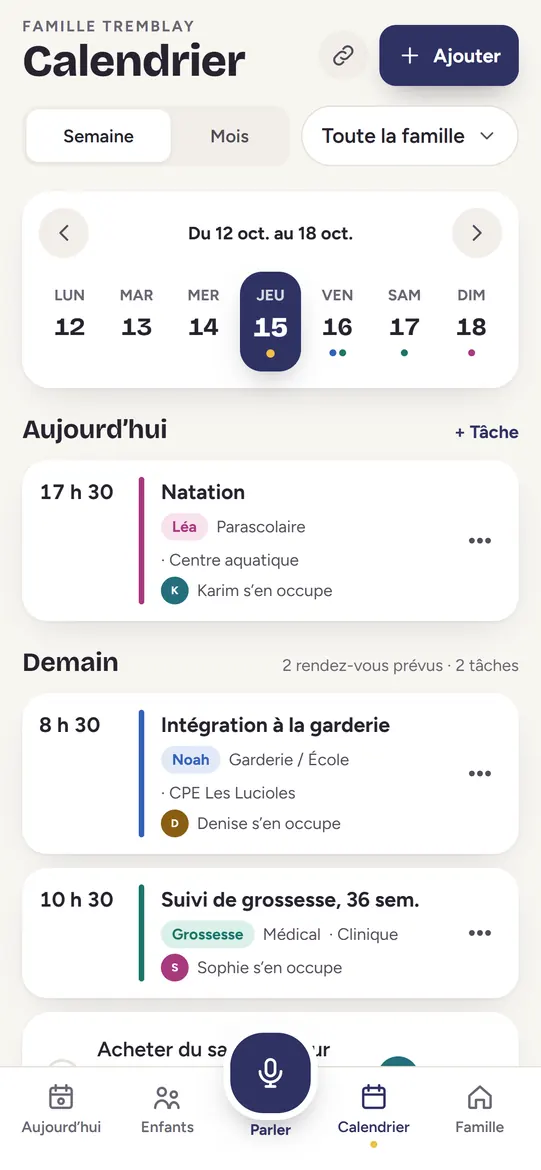
Each visit and the questions to ask, a visit summary to copy, and adding it to the family calendar.
- Maliah Plus
Blood sugar, only if needed
If you have gestational diabetes: your blood sugar readings and insulin, logged. Otherwise none of it appears.


Getting ready, together
The lists and choices of your pregnancy, shared with the people you invite.
- Maliah Plus
“Can I eat this?”
A searchable list of foods: yes, with care, or avoid, based on Health Canada and the Mieux vivre guide.
- Maliah Plus
The shopping list
Shared with the family: everyone sees what’s missing and taps “I’ll buy it”.
- Maliah Plus
Baby names for two
Each of you says “like” or “pass” on your own; Maliah shows the names you both love.
- Maliah Plus
Your bump diary
One photo a week, kept in Moments, and “Before / now”.
- Maliah Plus
Hospital bag and to-dos
The bag for the birth you’re planning, and the steps to take, week by week.


The big day
What you decided, close at hand when labour starts.
- Maliah Plus
Your birth plan
Filled in at home, shown full screen to the team when you arrive, or printed.
- Maliah Plus
Contractions and breathing
One big button for each contraction, the duration and the interval, and guided breathing. It never tells you when to leave.
- Maliah Plus
The partner section
What you expect from your partner, the positions to practise and how to help on the day, in their own account.

After the birth
The pregnancy becomes your child’s profile, in the same app.
- Free
Nothing is erased
“Baby is here” keeps the tracking, the birth plan, the contractions and the bump photos, to look back on in “The pregnancy”.
- Maliah Plus
The birth, announced
To the whole family in Messages, with a celebration.
- Free
Then feeds, diapers and sleep
The same account follows your baby from day one, and the whole family logs with you.

Get started in three steps
- Add the pregnancyIn the app, tap “Add” and choose the pregnancy. It gets its own profile, like a child.
- Work out your due dateFrom your last period, the conception date, an IVF transfer or an ultrasound, or enter the date you already know.
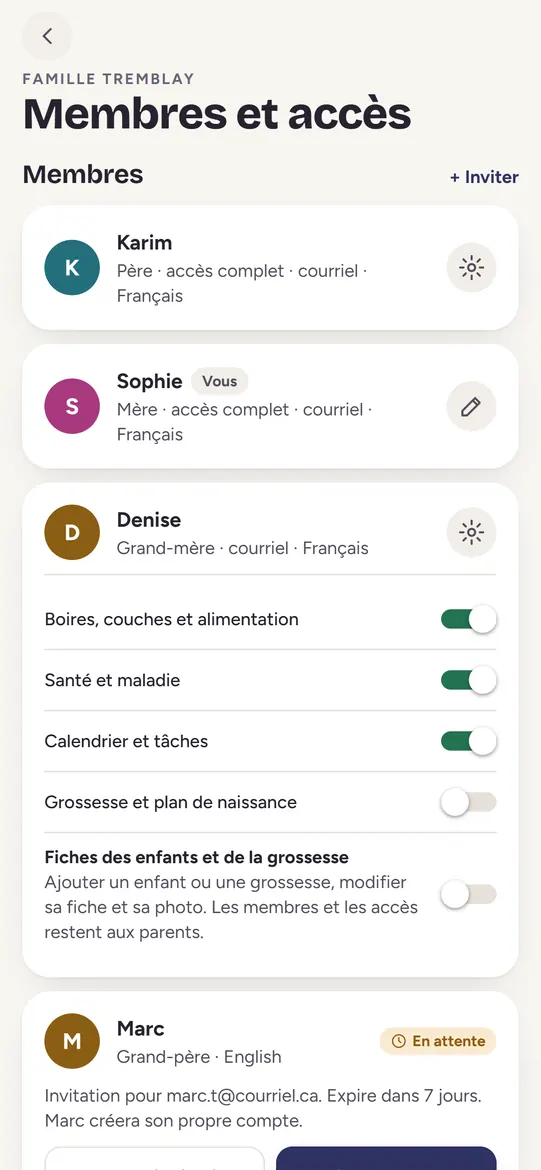
- Invite whoever you wantYour partner, your parents, a friend: each with their own account, and you choose what each one sees, pregnancy included.
Landmarks, never medical advice
Frequently asked questions
Is the pregnancy tracker free?
Yes. The weeks, your due date and your baby in 3D every week are part of Maliah Essentials, free forever. Tracking (kicks, weight, symptoms, visits), the tools and the lists are part of Maliah Plus, free to try for 7 days.
From which week can I start?
From week 1. Pregnancy weeks are counted from the first day of your last period; Maliah explains this at the start, then follows you up to week 42.
My pregnancy is from IVF. Will the date be right?
Choose “5-day transfer” or “3-day transfer” and enter the transfer date: Maliah works out the due date from there. Your clinic remains the reference.
Can my partner follow the pregnancy?
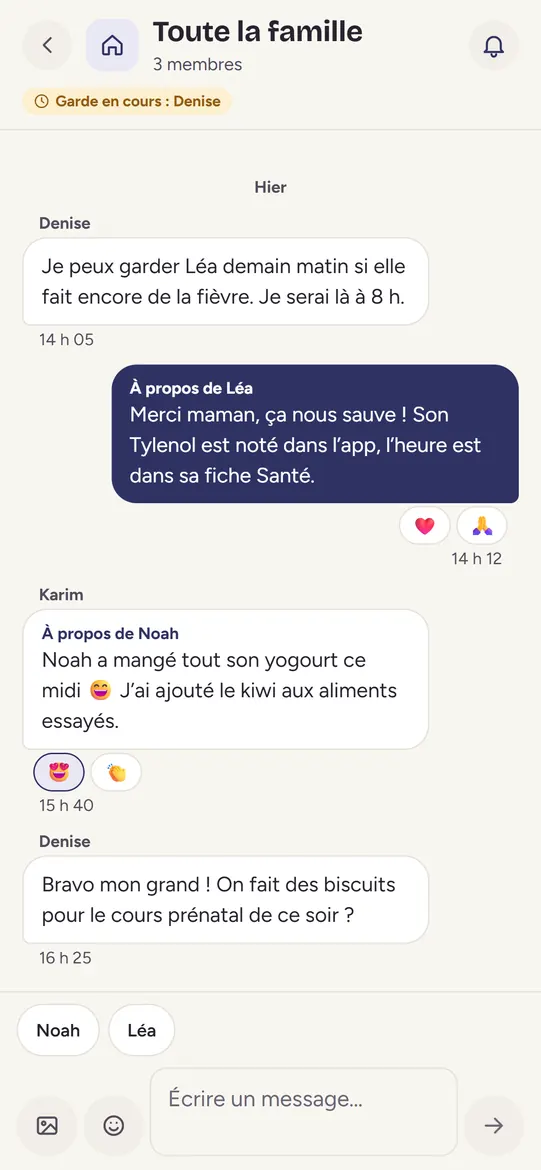
Yes, with their own account. They see the weeks, the shopping list, baby names for two and their partner section. Weight and symptoms only if you give them “View and edit”.
What happens to the tracking after the birth?
“Baby is here” erases nothing: the pregnancy becomes your child’s profile, and the tracking, birth plan, contractions and bump photos stay there to look back on.
What if the pregnancy ends?
One step stops everything about it: reminders, notifications, cards and emails. Nothing is erased; you can find it in “Past pregnancies” if you wish.
What is the best pregnancy tracker app?
One that keeps going after the birth. Maliah tracks the pregnancy from week 1, then the baby in the same app, with the whole family. For an illustrated guide only, Pregnancy+ is very highly rated; our dated comparison is on the best pregnancy tracker apps page.
Does Maliah give medical advice?
No. It shows landmarks from public sources and what you log. For any question about your health or your baby’s, talk to your health professional.
Updated November 20, 2026.